Wix vs WordPress vs Custom-Coded: What Should a Small Business Choose?

small business owner comparing wix vs wordpress vs custom website options
17 min read
This guide compares Wix, WordPress, and custom-coded websites across cost, ease of use, SEO, speed, and scalability to help small business owners choose the right platform for their growth stage. It outlines when each option makes sense and highlights the warning signs that a business has outgrown Wix and needs more flexibility.
Picking between Wix vs WordPress vs a custom-coded site can shape your business for years. Wix gets you online fast. WordPress gives you more control. A custom build gives you everything, but it costs more. This guide breaks down the real differences. By the end, you will know which option fits your business.
Your website is often the first thing a customer sees. Because of this, the platform you choose matters more than most business owners realize. A wrong choice today can mean a costly rebuild in a year or two. A smart choice today can save you time, money, and stress down the road.
In this guide, we walk through each option in plain terms. No jargon. No fluff. Just a clear look at what Wix, WordPress, and custom-coded sites each do well, and where they fall short. We also share real signs that tell you when it’s time to move on from one platform to another.
What Is Wix Used For, Exactly?
Wix is a website builder made for people with no coding skills. It uses a drag-and-drop editor. That means you can place text, images, and buttons anywhere on the page. Because of this, many first-time business owners pick Wix to launch a simple site fast.
So what is Wix used for in practice? Mostly small service businesses, portfolios, and simple online stores use it. Wix bundles hosting, templates, and basic SEO tools into one monthly plan. However, that convenience comes with trade-offs. You get less flexibility and less room to grow, which we cover below.
Think of Wix like a furnished apartment. You move in, and everything is already there. You don’t need to build your own furniture or wire your own electricity. That’s great if you just need a place to live right away.
But you also can’t knock down walls or add a new room. If your business needs change fast, this setup can start to feel tight. Many small businesses start here, then grow out of it within a couple of years.
Wix also appeals to people who want to test a business idea. For example, a new consultant or freelancer might build a Wix site in one afternoon. That lets them focus on getting clients instead of learning code. This low barrier to entry is one of Wix’s biggest strengths.
- Quick setup for small business websites
- Built-in hosting, so there is nothing to install
- Templates for restaurants, salons, contractors, and more
- Basic ecommerce for a handful of products
Wix also updates its platform often. New features get added over time, such as better mobile editing tools and improved booking systems. Still, you are always limited to what Wix decides to build. You cannot request a custom feature the way you can with an independent developer.
Wix vs WordPress: Cost, Hosting, and Ease of Use
Wix vs WordPress is the most common question small business owners ask. Wix charges a flat monthly fee. That fee includes hosting and support. WordPress, on the other hand, is free software. But you pay separately for a web host, a domain, and often a developer.
At first, Wix looks cheaper. But over time, WordPress can become more cost-effective. Why? Because you are not locked into one company’s pricing plans. Ease of use also differs between the two.
Wix’s drag-and-drop editor needs zero technical skill. Anyone can use this design tool right away. WordPress has a steeper learning curve. However, its content management system gives you far more control once you learn it.
Let’s dig a bit deeper into hosting. With Wix, your site lives on Wix’s own servers. You never think about server space, backups, or uptime. Wix handles all of that quietly in the background.
With WordPress, you choose your own host. This could be a budget host for $10 a month, or a premium managed host built for speed and security. That choice gives you control. However, it also means you are responsible for picking a reliable provider.
Ease of use isn’t just about building the site either. It’s also about ongoing changes. On Wix, editing text or swapping images takes just a few clicks. On WordPress, the process is similar once your site is set up, but the initial setup takes more planning.
For example, you may need to choose a theme, install a few plugins, and configure basic settings. This can feel overwhelming for someone with zero tech background. That’s why many small businesses hire a developer to handle WordPress setup, then take over simple edits themselves afterward.
| Factor | Wix | WordPress |
|---|---|---|
| Hosting | Included | Bought separately |
| Ease of use | Very easy, drag-and-drop editor | Moderate learning curve |
| Customization | Limited to Wix’s system | Very flexible with themes and plugins |
| Ownership | Wix owns the platform | You own the code and data |
That last row matters more than most people realize. Ownership means if Wix changes its pricing, shuts down a feature, or raises fees, you have little say. With WordPress, you own your files. You can move your site to a new host anytime without losing your work.
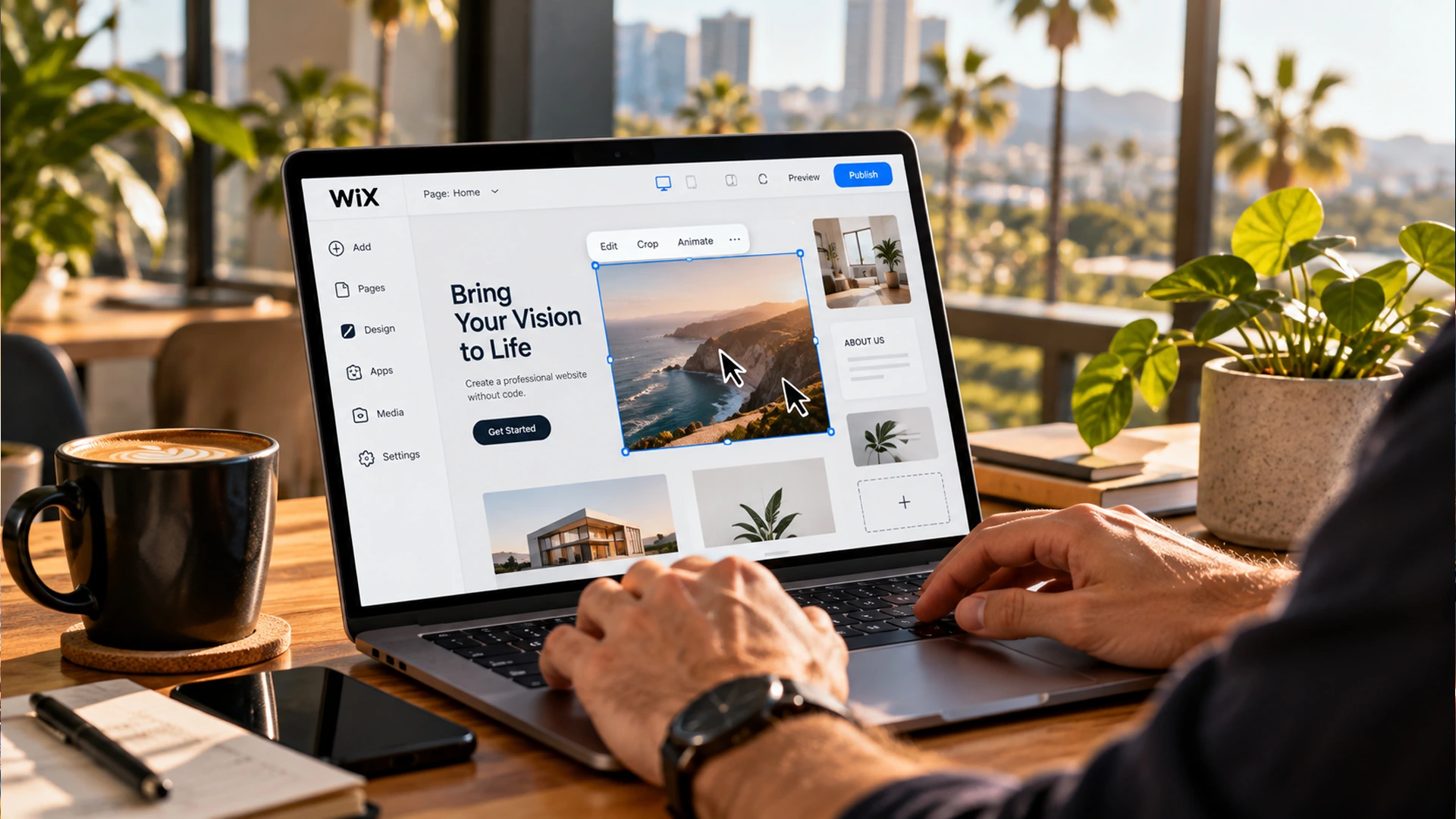
drag-and-drop editor showing what is wix used for
Wix Features vs WordPress Plugins and Themes
Wix offers solid basics. You get templates, a simple page builder, email marketing tools, and app add-ons through its marketplace. For a small, simple site, that is often enough. Still, the Wix app market is much smaller than what WordPress offers.
WordPress runs on thousands of plugins and themes. This means you can add almost any feature, from booking calendars to membership portals. You can also add an SEO plugin to fine-tune every page. In addition, WooCommerce, the leading WordPress ecommerce plugin, powers a large share of online stores worldwide. It scales from a 10-product shop to a full catalog with ease.
Need abandoned cart recovery, live chat, or other store tools? WordPress plugins cover almost all of them. That flexibility is hard to match on a closed platform like Wix.
Let’s look at a real example. Say you run a small bakery and want online ordering with delivery time slots. On Wix, you may find a few apps that offer something close. But you often cannot fully customize how they work.
On WordPress, you could install a plugin built just for food delivery scheduling. You can then adjust every setting, from delivery zones to order cutoff times. That level of detail is often out of reach on Wix.
Themes work the same way. Wix gives you a set list of templates. You customize colors, fonts, and layout within that template’s rules. WordPress themes, meanwhile, can be changed at the code level. A developer can rebuild sections from scratch if a client needs something unique.
- Wix: built-in features, limited third-party extensions
- WordPress: open plugin library, deep customization
- WooCommerce: free, flexible ecommerce for growing stores
- Custom-coded: no plugin limits at all
This difference matters most as your business grows. A simple five-page site may never need extra plugins. But a growing store, a busy clinic, or a multi-location business often needs tools that go beyond what Wix can offer.
Wix vs Custom Website: SEO, Speed, and Scalability
A Wix vs custom website decision usually comes down to three things. Those are SEO, speed, and the ability to grow, also known as scalability. Wix has improved its SEO tools a lot. Yet it still limits how much you can control site structure and code-level setup.
Custom-coded sites load faster. Developers build them on lean frameworks and strip out extra code. Page speed matters a lot. It directly affects your search rankings and how many visitors turn into customers. A faster site simply keeps more people around.
Scalability matters too. Wix can struggle once you need advanced integrations, custom checkout flows, or complex automation. A custom build, however, grows alongside your business. It never hits a platform ceiling.
Let’s break speed down further. Studies have shown that even a one-second delay in page load time can hurt conversions. Visitors expect pages to load fast, especially on mobile. If your site lags, people leave before they even see your offer.
Wix sites often carry extra code behind the scenes. This happens because the platform needs to support many features for many different businesses. That extra code can slow things down, even if your site looks simple on the surface.
Custom-coded sites avoid this problem. A developer only builds what your business needs. There is no bloat, no unused code, and no unnecessary scripts loading in the background. This leads to a cleaner, faster experience for your visitors.
Scalability also includes things like traffic spikes. If your business runs a big sale or gets featured in the news, your site needs to handle a sudden rush of visitors. Custom-coded sites, especially those built with strong hosting, tend to handle this far better than platform-based builders.
SEO Considerations
Let’s talk about Wix vs WordPress SEO. WordPress and custom sites generally offer more detailed SEO control. This includes schema markup, URL structure, and crawl settings. Wix has closed much of this gap. Still, technical SEO experts often prefer open platforms for fine-tuned control over how search engines read their pages.
For example, WordPress lets you edit your robots.txt file directly. This file tells search engines which pages to crawl and which to skip. Wix offers some control here too, but with more restrictions.
Schema markup is another factor. This is code that helps search engines understand your content better, like showing star ratings or event dates right in search results. WordPress plugins make this easy to add and adjust. Custom-coded sites can take it even further, with markup built exactly for your business type.
Maintenance and Security
Wix handles hosting, updates, and security on its own. WordPress needs you, or your developer, to manage plugin updates and security patches. Custom sites need upkeep too. However, you control exactly how that upkeep happens.
Security is worth a closer look. Because WordPress is so popular, it’s also a common target for hackers. That means staying on top of updates is important. A good host or developer can handle this for you with regular monitoring and backups.
Custom-coded sites can be built with security in mind from day one. Developers can add custom firewalls, limit login attempts, and remove unused code that could create weak spots. This gives business owners peace of mind, especially if they handle sensitive customer data.
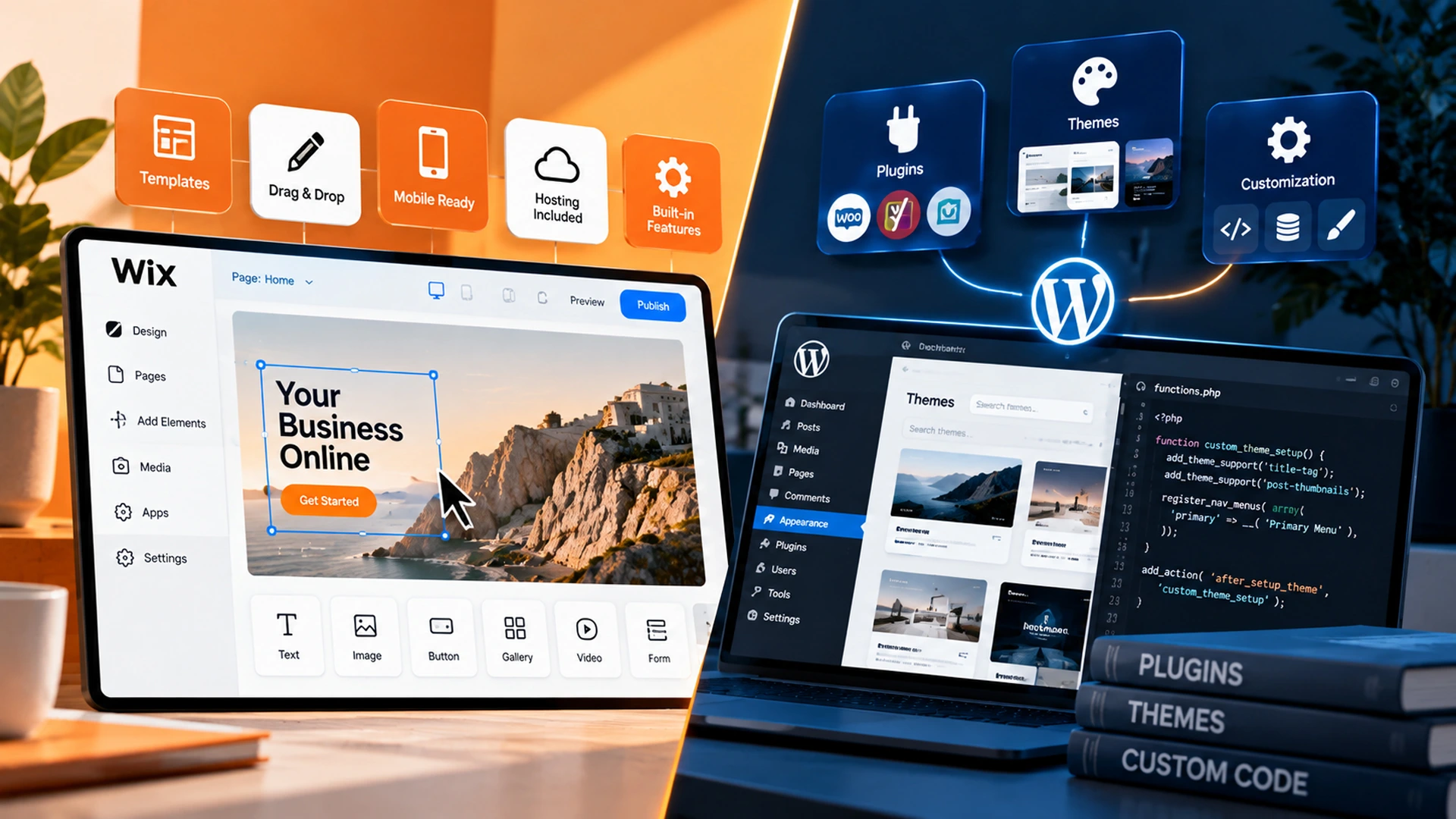
wix features compared to wordpress plugins and themes
Cost Comparison: Wix, WordPress, and Custom-Coded Sites
Let’s break down the cost comparison. Wix plans typically run $20 to $60 per month. WordPress costs vary based on your web host and plugins. Expect $15 to $100 per month, plus developer fees for custom design work.
Custom-coded sites cost more upfront. This often means several thousand dollars, since a developer builds every feature to your exact needs. As a result, that higher first cost often pays off. You get better performance, fewer app fees, and a site that scales with you.
It helps to think about cost over time, not just upfront price. Wix fees add up every single month, for as long as your site exists. Over five years, that monthly fee can add up to a large total cost, even though each payment feels small.
WordPress costs can vary more. A simple blog might only cost $200 a year in hosting and plugins. A busy online store might cost much more, especially with premium plugins and strong hosting plans.
Custom-coded sites flip the cost structure. You pay more at the start, then far less over time. There are no app subscription fees stacking up each month. This is why many growing businesses see custom builds as an investment rather than an expense.
| Platform | Typical Monthly Cost | Best For |
|---|---|---|
| Wix | $20-$60 | Simple small business sites |
| WordPress | $15-$100+ | Growing businesses needing flexibility |
| Custom-coded | Higher upfront, lower long-term fees | Businesses planning to scale |
Before choosing based on price alone, think about your five-year plan. A cheaper option today could cost you more later if you outgrow it and need a full rebuild. Planning ahead often saves money in the long run.
Wix vs Squarespace vs WordPress: How Do They Compare?
Many business owners also ask about Wix vs Squarespace vs WordPress. Squarespace sits in the middle ground. It offers a polished design tool with clean templates, much like Wix.
However, it shares some of the same limits. You still work inside a closed system. You cannot access the raw code the way you can with WordPress or a custom build.
Squarespace tends to appeal to creative businesses and portfolio sites. Think photographers, artists, and small studios. Its built-in SEO tools are solid, but so are Wix’s at this point.
Neither platform matches WordPress for plugin choice. For small businesses that just need a simple, attractive site, either Wix or Squarespace works well. But if you plan to grow, add an online store, or need deep SEO control, WordPress still wins out.
Design-wise, Squarespace often gets praise for its clean, modern templates. Many photographers and designers like this look right out of the box. However, that same polish can feel limiting if you want a layout that breaks from the standard grid.
Squarespace ecommerce also works well for small catalogs. However, it struggles to match WooCommerce once a store grows past a few dozen products. Businesses planning larger catalogs often find WordPress a better long-term fit.
In short, think of Squarespace as a stylish cousin of Wix. It’s a good fit for the same type of business, with a slightly different design focus. Neither one replaces the flexibility that WordPress or a custom build provides.
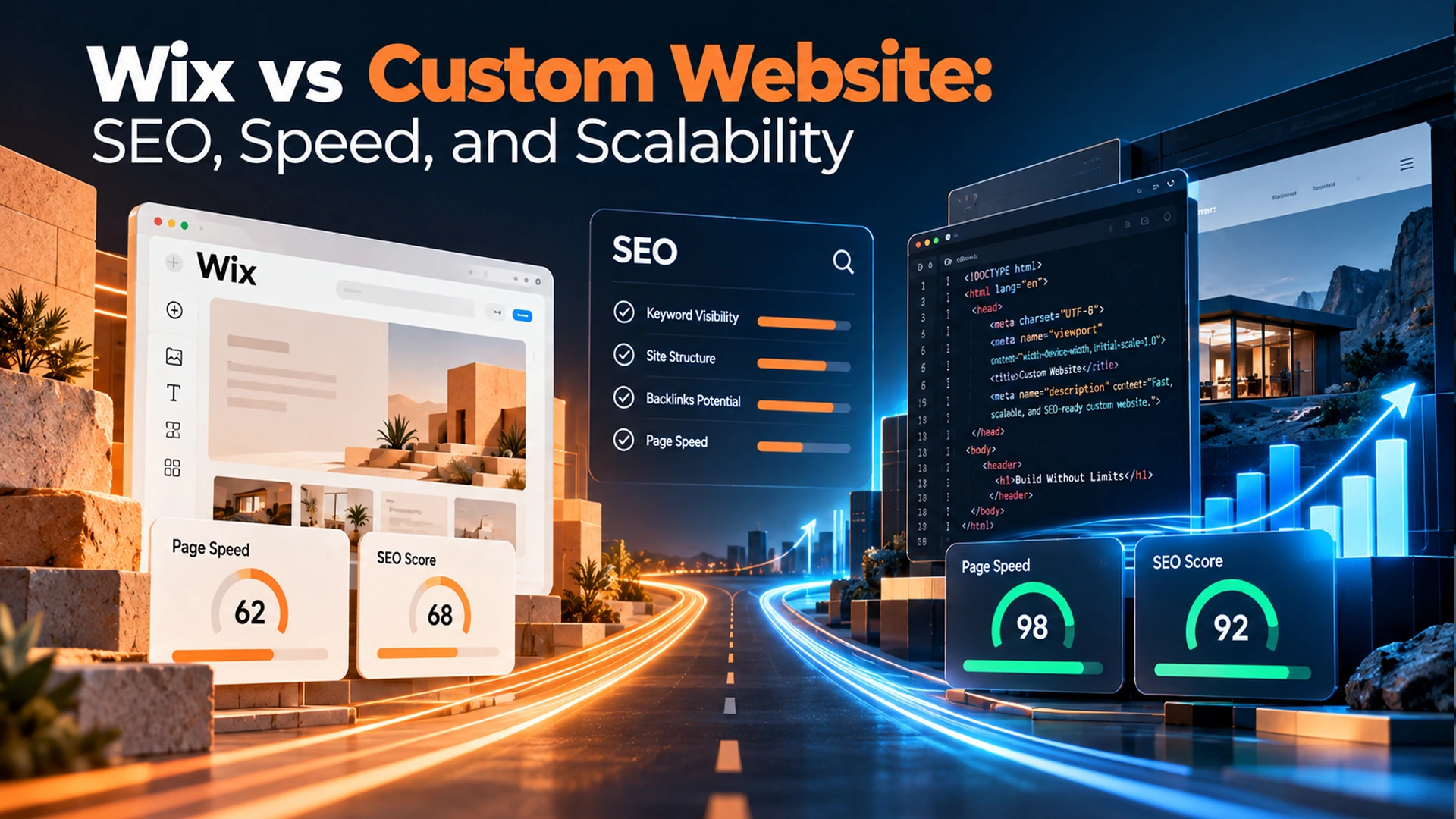
wix vs custom website comparison for seo and site speed
Signs Your Small Business Has Outgrown Wix
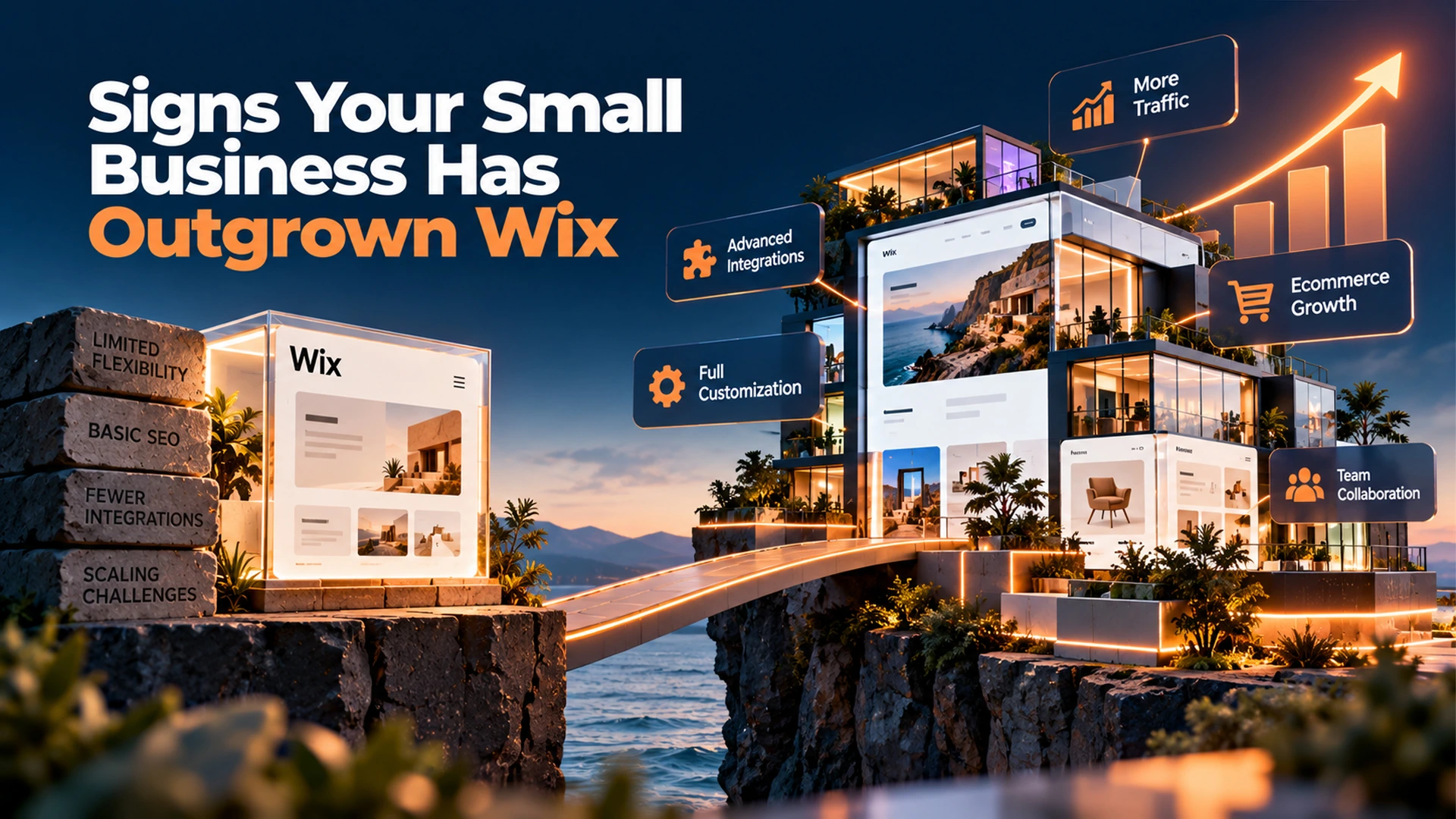
Many businesses start on Wix and outgrow it within a year or two. If your site now needs custom integrations, advanced ecommerce, or faster load times, it may be time to move on. First, check whether the Wix app market still covers your needs.
Next, think about your growth plans. A business expanding into multiple locations, complex booking systems, or a CRM-connected website usually needs more flexibility than Wix allows. At that point, WordPress or a custom-coded solution becomes the smarter long-term investment.
Here’s a common story we see. A business starts with a simple Wix site. Sales grow, so they add more products. Then they want a loyalty program, then a custom checkout flow, then an integration with their accounting software.
At each step, they add another app. Soon, they’re paying for five or six add-ons, and the site still feels limited. This is the moment most businesses realize they’ve outgrown the platform.
Another common sign is slow page speed. As a Wix site grows with more images, apps, and features, it can start to load more slowly. If customers start complaining, or your bounce rate rises, that’s a clear signal.
A third sign is frustration with design limits. If you keep asking your web team for a layout change and hear “Wix can’t do that,” it’s a strong hint you need a more flexible platform.
- You need advanced ecommerce features Wix cannot support
- Your site speed is hurting conversions and rankings
- You need custom integrations with your CRM or software
- Your SEO strategy needs more technical control
- You are paying for multiple apps that still feel limited
Not sure which platform fits your business today? Our team can review your current site. We will recommend the right path, whether that means optimizing your WordPress site or building a fully custom solution. Explore our web design services in Irvine to get a clear recommendation.
Building a Small Business Website: What Matters Most
When you build a website for a small business, start with your goals. Do you just need an online brochure? Or do you plan to sell products, book appointments, and run a blog post schedule to drive traffic?
Your answer shapes your platform choice. A simple service business with no online store may do fine on Wix for years. A business planning fast growth should think ahead instead.
Also, think about your team. Will one person manage the site? Or will multiple staff need to log in and make changes? WordPress hosting plans often support more user roles and permissions. That makes it easier to divide tasks across a growing team.
Social media also plays a role here. Most platforms, including Wix and WordPress, connect easily to your social media accounts. However, WordPress offers more plugins for scheduling posts and syncing content. This matters if marketing is a big part of your growth plan.
Budget is another factor to weigh early. Set a realistic number for both the build and ongoing costs. This helps you avoid picking a platform that looks cheap today but costs more later through limits and workarounds.
Timeline matters too. If you need a site live next week, Wix or a template-based WordPress build may be your best bet. If you have a few months to plan, a custom-coded site can be built the right way from the start.
Finally, think about who will update the site after launch. If you want full control to make changes yourself, choose a platform that matches your comfort level. If you plan to hire a team to manage it, you have more freedom to choose a more advanced setup.
small business team planning website growth beyond wix
Choosing the Right Platform for Your Business
There is no single best answer for every business. Wix works well for simple, low-maintenance sites. WordPress suits businesses that want flexibility without a full custom build. A custom-coded site makes sense once you need speed, scalability, and full ownership of your platform.
In the end, the Wix vs WordPress vs custom-coded decision should match your growth stage. It should not be based on your starting budget alone. OC Imagine can walk through your options. We will build a roadmap that fits where your business is headed.
Start by asking yourself a few honest questions. Where do you want your business to be in three years? How much control do you want over design and features? How much time can you spend managing your site each month?
Your answers will point you toward the right platform. And remember, this choice is not permanent. Many businesses move from Wix to WordPress, or from WordPress to a custom build, as they grow. The key is picking the platform that fits where you are right now, while keeping an eye on where you’re headed.
Frequently Asked Questions
Is it better to use Wix or WordPress?
Neither is universally better; it depends on your needs. Wix is easier to use with built-in hosting and a drag-and-drop editor, making it ideal for simple, low-maintenance sites. WordPress has a steeper learning curve but offers far more flexibility, control, and long-term cost-effectiveness for businesses that plan to grow or need advanced features.
What is the downside of Wix?
Wix limits customization since everything runs within its own closed system, and its app marketplace is much smaller than WordPress's plugin library. It can also struggle with advanced ecommerce, custom integrations, complex automation, and fine-tuned technical SEO once a business grows beyond a simple site. These limitations are often what push businesses to migrate to WordPress or a custom build.
What website builder should I use for my small business?
If you need a simple site launched quickly with no technical skill, Wix is a solid starting point. If you want more flexibility, better long-term cost-effectiveness, and room to add features like booking calendars or WooCommerce-powered stores, WordPress is usually the better choice. Businesses planning significant growth, needing top-tier speed, or wanting full platform ownership should consider a custom-coded site instead.
How do I know if my small business has outgrown Wix?
Signs include needing advanced ecommerce features Wix can't support, site speed that's hurting conversions and rankings, requiring custom integrations with a CRM or other software, needing more technical SEO control, or paying for multiple apps that still feel limiting. Businesses expanding into multiple locations or adding complex booking systems typically need the flexibility of WordPress or a custom-coded solution.
Is WordPress harder to use than Wix?
Yes, WordPress has a steeper learning curve than Wix's drag-and-drop editor since it involves managing a content management system, hosting, and often plugin updates yourself. However, that added complexity comes with far more control over design, functionality, and SEO once you learn the platform, which is why many growing businesses find it worth the trade-off.