AI integration Orange County consultant reviewing connected CRM dashboard
8 min read
This article argues that AI integration for small businesses succeeds when artificial intelligence is connected to existing CRM, ERP, and accounting systems rather than replacing them entirely. It outlines common pitfalls like messy data and unclear ownership, offers a practical rollout roadmap, and covers governance, compliance, and ROI measurement for a successful AI integration project.
Most small businesses do not fail at AI because the technology is weak. They fail because nobody connected it to the CRM, ERP, or accounting software they already use. AI integration Orange County projects succeed when AI plugs into existing systems instead of replacing them. That one shift changes how the whole rollout goes.
What AI Integration With Existing Business Systems Means
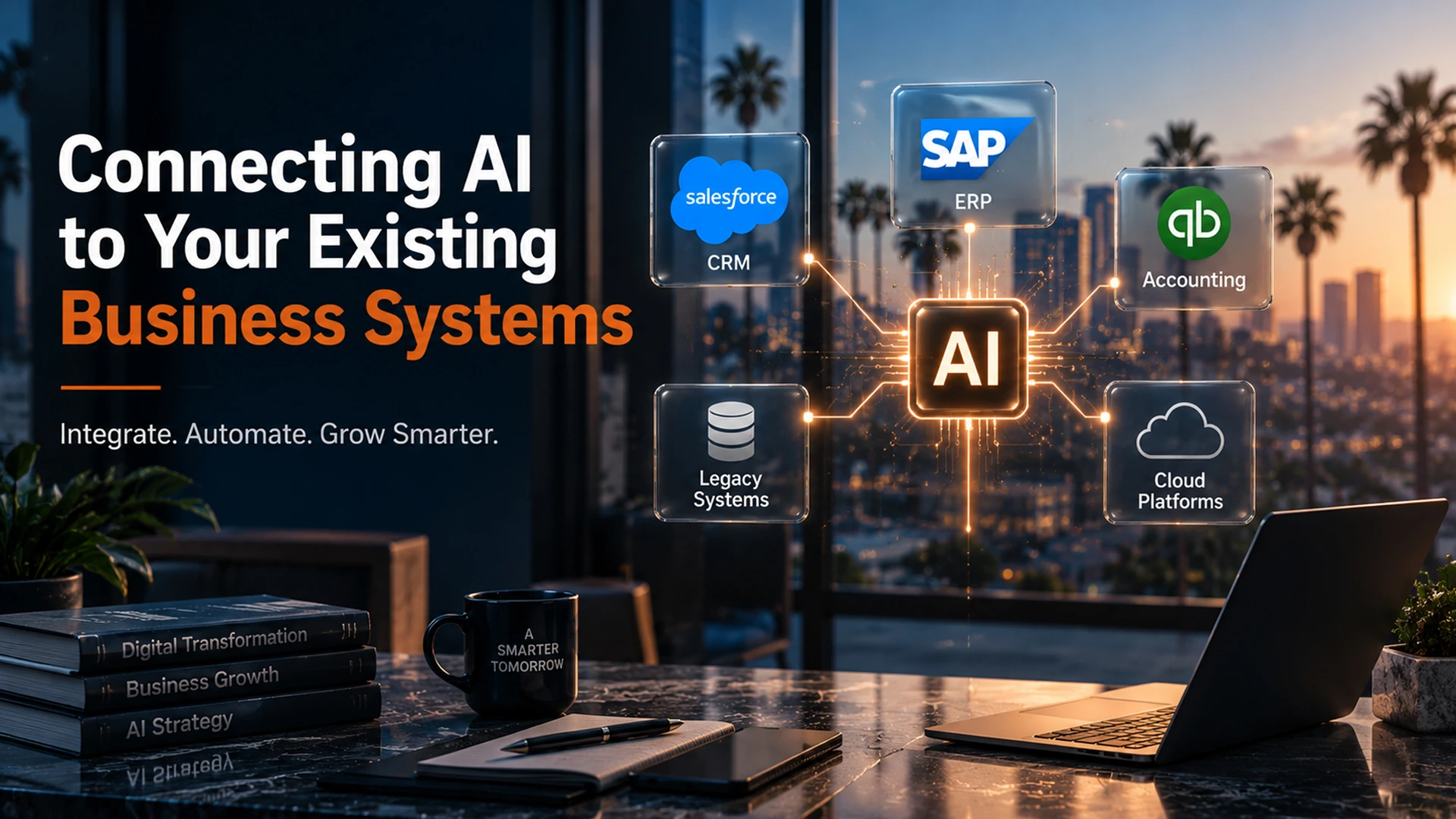
AI integration connects artificial intelligence tools to the software your team uses every day. That includes your CRM, ERP, accounting platform, and any database with customer records. Instead of learning a new system, your team keeps using tools they already trust. The AI runs in the background.
This matters because most small businesses run on legacy systems. These older systems were never built with AI in mind. Because of this, integrating AI depends on API integration. APIs act as a bridge that lets two programs share data safely. Without that bridge, even the best AI tools sit isolated and add little value.
- CRM integration lets AI read customer history and predict next steps
- ERP integration lets AI track inventory, orders, and real time data
- Accounting integration lets AI flag problems before they grow
Why CRM and ERP Integration Trips Up So Many Small Businesses
Small businesses often think AI integration means buying new software and starting over. In reality, most AI tools connect to what you already have. That said, three problems tend to slow things down.
Messy or Incomplete Data
AI models depend on good data quality. If your CRM has duplicate contacts or missing fields, the AI will make bad calls. Because of this, a data quality check should always come before any AI rollout.
Fear of Disrupting Daily Operations
Owners worry that new tools will break something that already works. This fear makes sense, since older systems can be fragile. As a result, a phased rollout with one pilot workflow lowers risk more than switching everything at once.
No Clear Owner for the Project
Many small businesses never assign one person to manage AI adoption. Because nobody owns the outcome, progress stalls after the first demo. Assigning a project lead, even part-time, keeps the work moving.
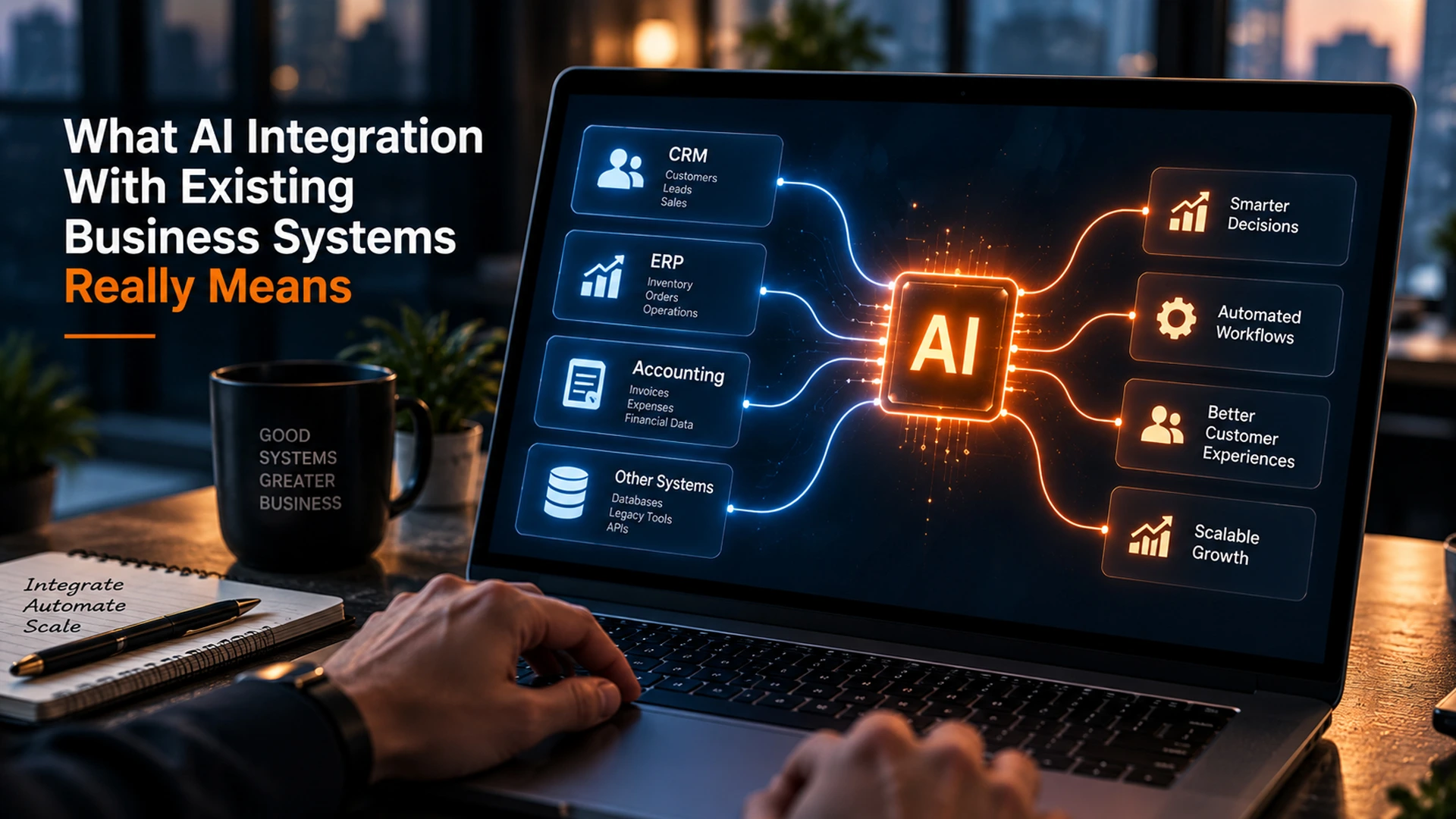
Diagram style image of AI integration connecting CRM and ERP systems
How AI CRM Integration Actually Works
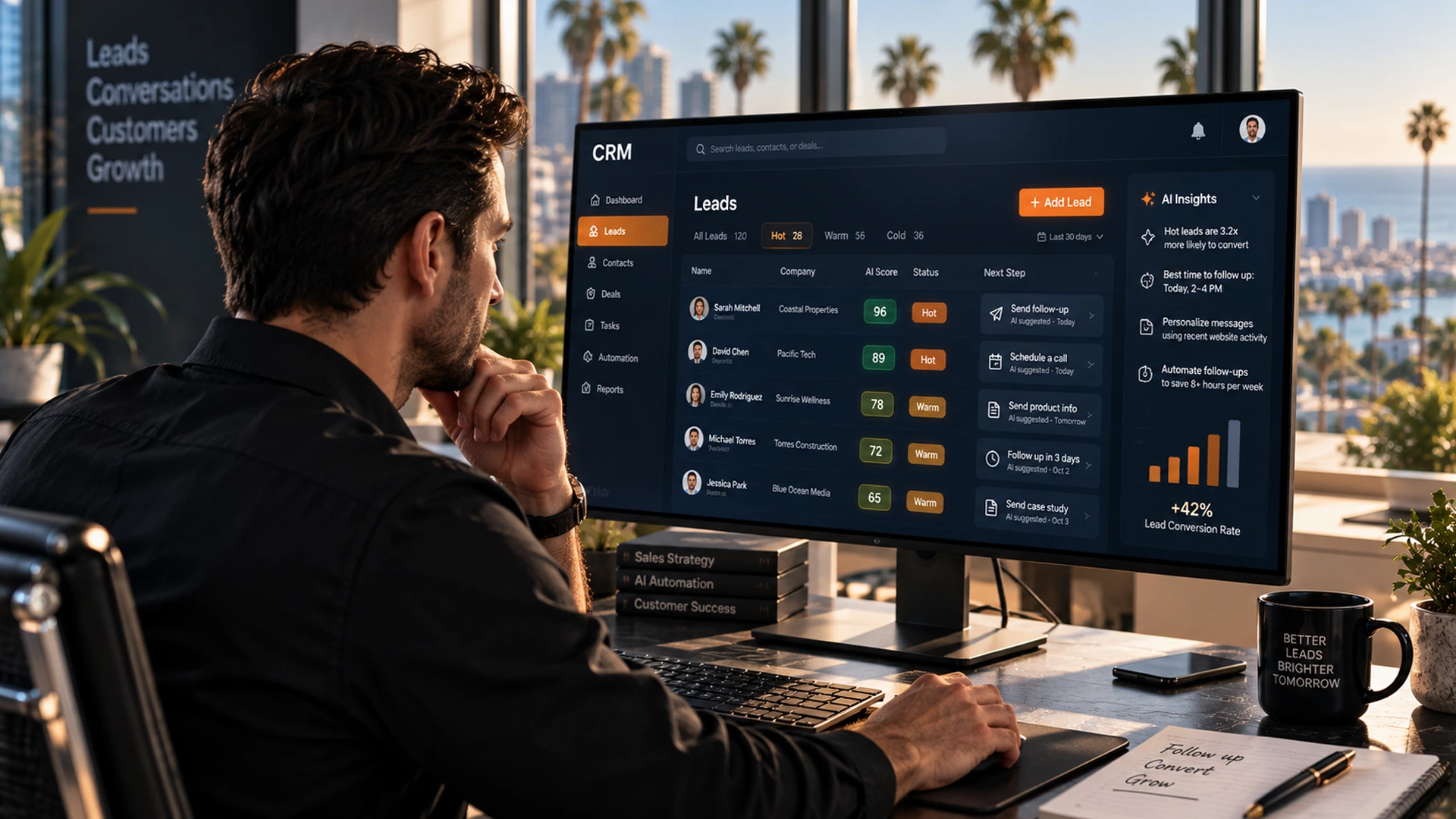
AI CRM integration connects machine learning models to your customer database. This lets the AI score leads, predict churn, and automate follow-up messages. The result is faster response times and a better customer experience.
For example, an AI-powered automation system can read every new inquiry. It scores each one against your best past customers. Then it sends hot leads to a rep right away.
| CRM Task | Manual Process | AI Integration Result |
|---|---|---|
| Lead scoring | Rep reviews each lead by hand | AI ranks leads by likelihood to convert |
| Follow-up timing | Rep sets reminders by hand | AI schedules follow-ups based on customer actions |
| Customer service automation | Staff answers the same questions daily | Chatbots resolve common questions right away |
| Data entry | Manual updates after every call | AI logs notes and updates fields on its own |
Platforms like HubSpot and Salesforce build machine learning into their core CRM platforms. But many small businesses use older or custom CRM systems.
These older systems need a dedicated connector. That is where system integration services come in. They build the bridge between your tools and modern AI capabilities.
System Integration Services: Build vs Buy vs Partner
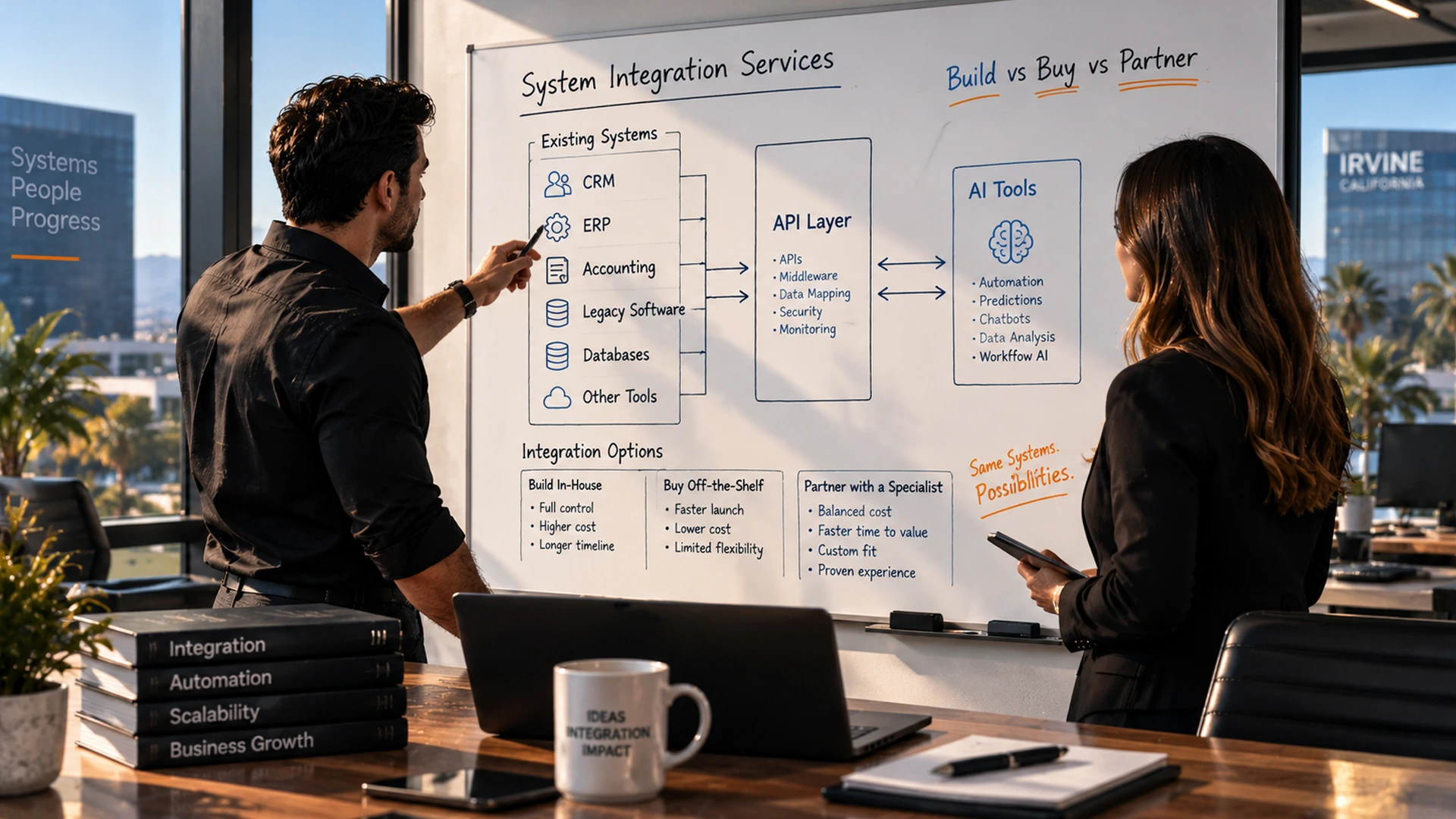
Most businesses pick one of three paths for system integration services. They build a custom connector in-house, buy an off-the-shelf tool, or partner with a team that focuses on AI integrations. Each path has different costs, timelines, and long term flexibility.
Comparing Your Options
- Build in-house: Works well if you have dedicated engineers. However, it is slow and costly for most small businesses.
- Buy off-the-shelf: Launches fast, but struggles when your workflows are not standard.
- Partner with a specialist: Balances speed with a custom fit. An experienced integrator already knows common CRM and ERP quirks.
OC Imagine works with small and mid-sized businesses across Orange County. The team designs custom AI solutions that connect right to existing CRM systems, ERPs, and cloud platforms. Because of this, clients skip months of trial and error.
Sales manager using ai crm integration for lead scoring and follow-up
A Practical AI Adoption Roadmap for Legacy Systems
A clear roadmap turns AI adoption from a vague goal into a manageable project. The steps below show how experienced integrators plan a rollout. They avoid downtime or data loss along the way.
- Check current systems and data quality before picking any AI tools
- Define one or two use cases with clear, measurable outcomes
- Pick an API integration or middleware approach that fits your stack
- Run a pilot on a single team or workflow for 30 to 60 days
- Review results, adjust the AI models, then expand to other departments
Notice that scaling comes last, not first. Many failed rollouts try to automate everything at once. Instead, a narrow pilot proves value fast and builds trust before a wider expansion begins.
Governance, Compliance, and Data Privacy When You Connect AI
Connecting AI tools to sensitive data raises real questions about data privacy. Any AI integration that touches customer records, financial data, or health information must follow compliance rules. Governance should be part of the plan from day one.
The National Institute of Standards and Technology, known as NIST, published an AI Risk Management Framework. It says organizations should document how AI models make decisions. They should also watch those models for bias or drift over time.
- Limit AI system access to only the data it needs for its task
- Keep an audit trail of automated decisions for compliance review
- Train staff so new AI tools get used correctly
- Review vendor contracts for data ownership and privacy terms before signing
Team planning system integration services architecture on whiteboard
Measuring ROI After You Integrate AI
The clearest sign of a successful AI integration is measurable ROI. Look for it within the first two to three months of a pilot. Track metrics like response time, lead conversion rate, and hours saved on manual tasks.
Efficiency gains often show up first in customer service and workflow automation. That is because these areas involve repeat tasks that AI handles well. Meanwhile, personalization gains, such as tailored product recommendations, build slowly as the AI learns from more customer interactions.
| Metric | Before AI Integration | After AI Integration (Typical) |
|---|---|---|
| Average lead response time | 4 to 8 hours | Under 5 minutes |
| Repetitive support tickets handled manually | 100% | 30 to 50% |
| Data entry hours per week | 10 to 15 hours | 2 to 4 hours |
Ready to scope AI CRM integration for your Orange County business? OC Imagine’s AI integration services connect right to your existing CRM, ERP, or legacy platform. This happens with little disruption to daily operations.
Start Your AI Integration Project the Right Way
AI integration Orange County businesses trust is not about replacing your CRM or ERP. Instead, it connects AI to the systems your team already knows. That way, process automation, predictive analytics, and chatbots work quietly in the background while your staff keeps doing what they do best.
OC Imagine offers custom software and system integration services built for small and mid-sized businesses across Southern California. Whether you need AI CRM integration, workflow automation, or a full AI strategy roadmap, the team builds a plan around your existing systems. There is no rip-and-replace approach.
Frequently Asked Questions
What does AI integration with existing business systems actually mean?
It means connecting artificial intelligence tools directly to the software a team already uses daily, such as CRM, ERP, accounting platforms, and custom databases. Instead of replacing these systems, AI works within them using API integration as the technical bridge that lets the two exchange data safely.
Why do so many small businesses struggle with CRM and ERP integration?
Three recurring problems slow the process: messy or incomplete data that leads to bad AI decisions, fear of disrupting daily operations with fragile legacy systems, and lack of a clear project owner to keep momentum going. Addressing these issues before rollout, such as running a data quality audit and assigning a project lead, significantly reduces risk.
How does AI CRM integration work in practice?
AI CRM integration connects machine learning models to a customer database so the AI can score leads, predict churn, and automate follow-up messages. For example, a lead qualification system can read new inquiries, score them against past customers, and route hot leads to a rep immediately, all running behind the existing CRM interface.
Should a business build, buy, or partner for system integration services?
Building in-house works best for companies with dedicated engineers but is slow and costly for most SMBs. Buying an off-the-shelf tool launches fast but struggles with non-standard workflows. Partnering with a specialist integrator balances speed and customization since they already understand common CRM and ERP quirks.
What is the recommended roadmap for adopting AI on legacy systems?
The roadmap starts with auditing current systems and data quality, then defining one or two measurable use cases, selecting an API or middleware approach, running a 30-to-60-day pilot on a single team, and finally reviewing results before expanding. Scalability comes last so a narrow pilot can prove value and build trust first.
What governance and compliance steps matter when connecting AI to sensitive data?
Businesses should limit AI system access to only the data needed for its task, keep an audit trail of automated decisions, train staff on change management, and review vendor contracts for data ownership and privacy terms. Following frameworks like the NIST AI Risk Management Framework helps document decision-making and monitor for bias or drift.
How quickly can a business see ROI from AI integration?
Measurable ROI typically appears within the first two to three months of a pilot. Key metrics to track include response time, lead conversion rate, and hours saved on manual tasks, with operational efficiency gains usually showing up first in customer service and workflow automation.