A live plugin host that runs studio plugins on every channel of a show
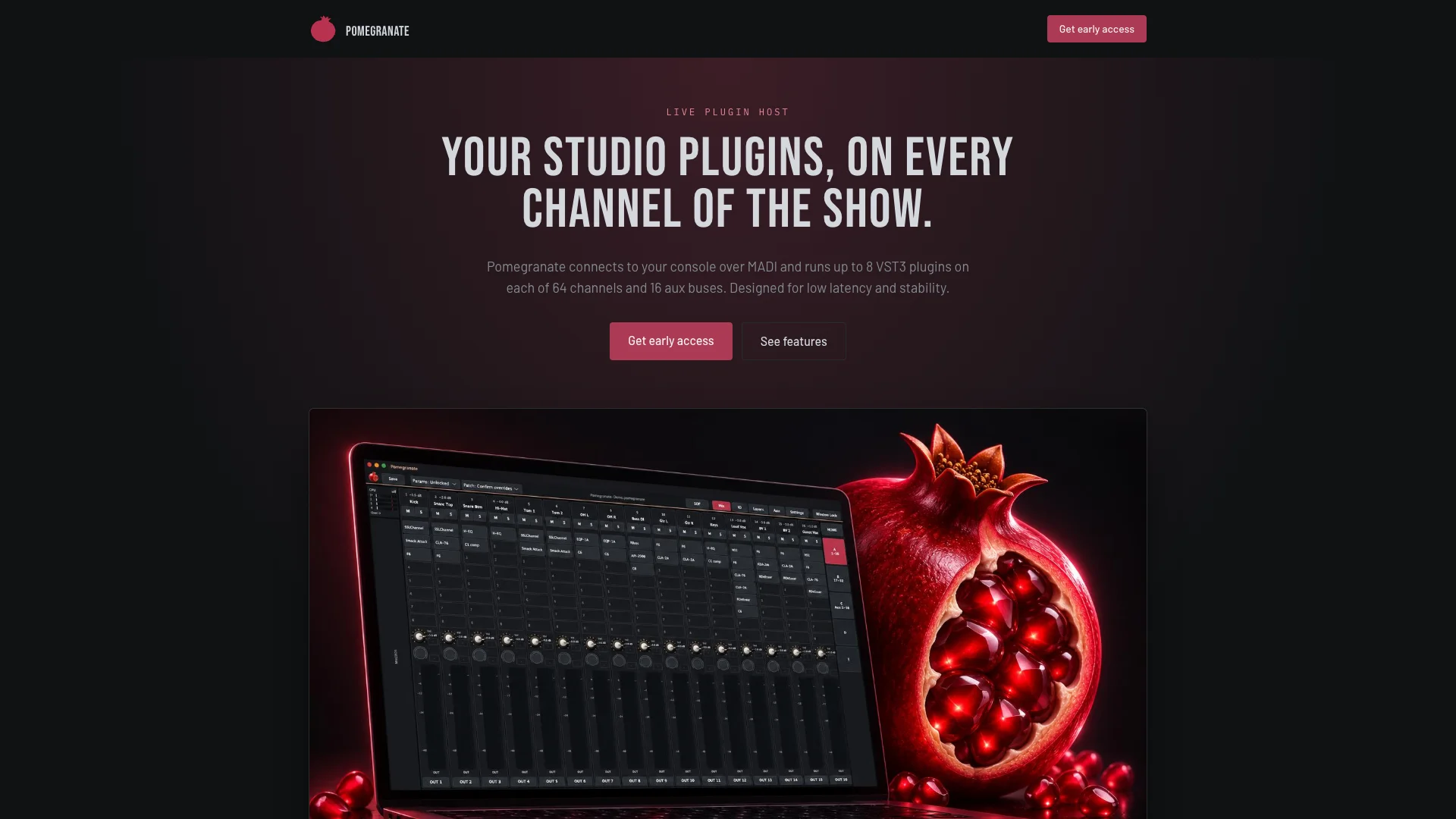
Pomegranate connects to a mixing console over MADI and runs up to 8 VST3 plugins on each of 64 channels and 16 aux buses, built for live sound.
Overview
Pomegranate is a live plugin host from Siavash Inc., made for front-of-house and monitor engineers, touring engineers, and production companies and venues with MADI-equipped consoles. It runs on Windows with ASIO and also on macOS. Version 0.1.0 is in pre-release.
OCImagine provided software development and AI integration for the project. Learn more about our custom software development and AI integration work.
How the audio flows
- Step 01
Console sends audio
Channels leave the mixing console over MADI.
- Step 02
Audio interface
A MADI interface brings them into the computer. No extra hardware needed.
- Step 03
Plugins on every channel
Up to 8 VST3 plugins per strip, on 64 channels and 16 aux buses.
- Step 04
Back to the console
Processed audio returns over MADI to the mix.
What it does
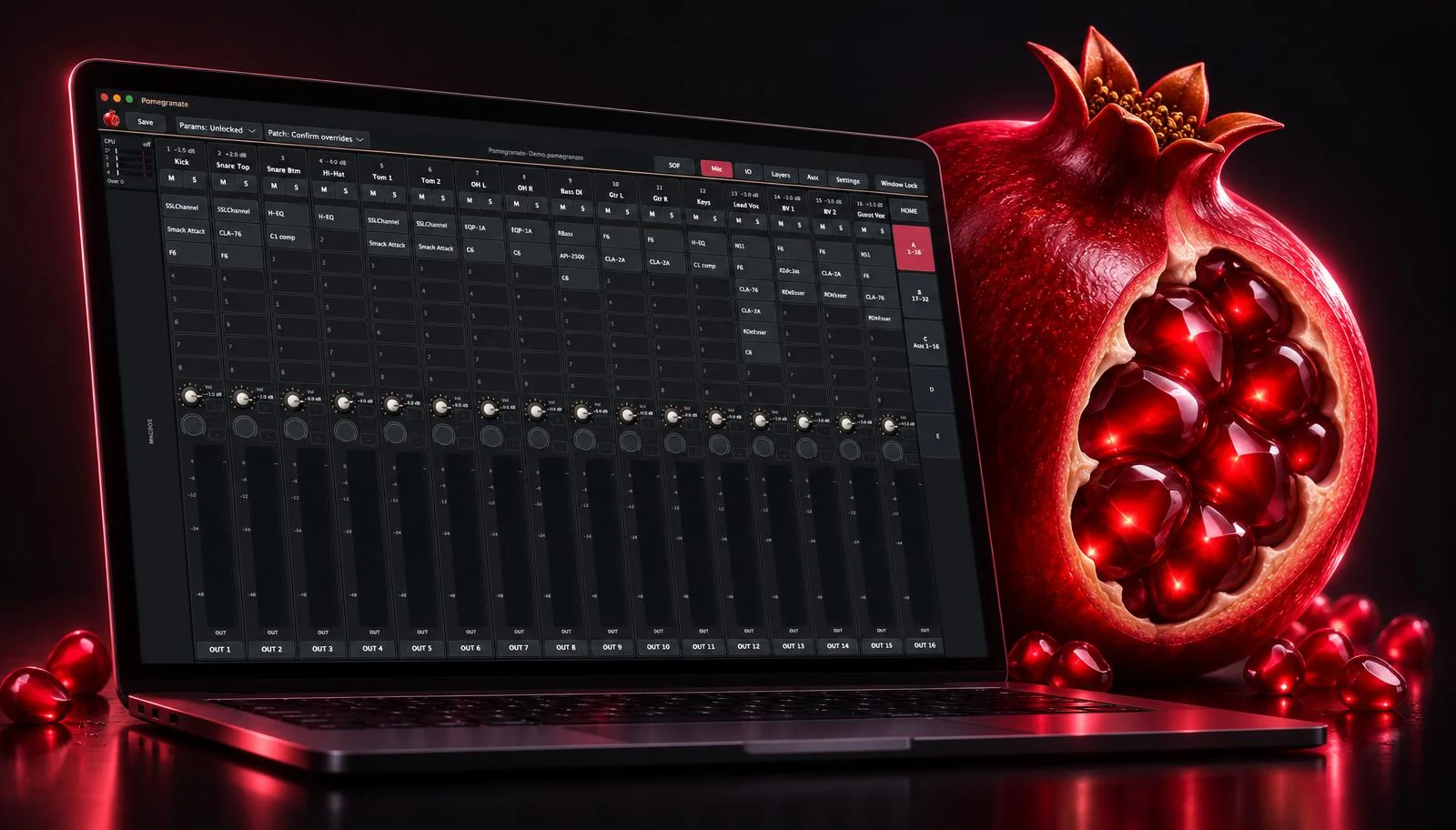
- Up to 8 VST3 plugins per strip on 32 or 64 channels and 0, 8 or 16 aux buses.
- Fast plugin search. Type a few letters and filter by maker, category or your own tags. Typos are tolerated.
- Routing on a grid, with mono, stereo and mono-to-stereo channels.
- Monitor and effects sends, pre or post, to each aux.
- Banks and layers laid out the way the engineer works.
- Keyboard navigation across strips and plugins, or straight to the next EQ or compressor.
- MIDI and OSC control, with values sent back to motorized faders.
Problems we hit, and how we solved them
In the studio, a glitch means you stop and run it again. At a show there's no second take, so most of the design is about keeping the audio going.
01One CPU core doing all the work
Problem
Computers have many cores, but a plugin chain only helps if the work is actually spread across them.
Our fix
Channels are split into groups that run side by side. Auto-balance suggests an even split from the load it has measured.
02Plugins that add delay
Problem
Look-ahead limiters and linear-phase EQs delay their channel, so two mics on a snare or a stereo pair can drift out of phase.
Our fix
Latency compensation accounts for each plugin's delay, so channels stay lined up.
03Accidental changes mid-show
Problem
A stray click or a bumped controller could change a plugin setting or reroute a channel during the show.
Our fix
Show locks freeze parameters and patching before doors open. Mute keeps working.
04Not knowing which plugin crashed
Problem
When a third-party plugin misbehaves, guessing which one wastes time the show doesn't have.
Our fix
Crash reports name the channel and the plugin that was running, so it can be swapped or removed.
05Troubleshooting without the audience hearing
Problem
Checking a channel during a show normally means touching the mix.
Our fix
Solo any channel, or the signal right after any plugin, on separate outputs. The main mix is untouched.
What we did
- Desktop software
- Real-time audio
- VST3 plugin hosting
- MIDI and OSC control
- AI integration