AI Agents vs. Chatbots: What Orange County Businesses Actually Need in 2026


AI agents vs chatbots comparison for Orange County business office
13 min read
This article explains the core difference between AI agents and chatbots: chatbots respond to questions using scripts, while AI agents reason through goals and autonomously complete multi-step tasks across business systems like CRMs and calendars. It argues that falling LLM costs and improved integrations have made agentic AI accessible to Orange County small businesses in 2026, and offers a framework for choosing between chatbots, custom AI agents, or a hybrid approach based on task complexity, data readiness, and total cost of ownership.
A chatbot answers a question. An AI agent finishes a task. That difference decides a lot. It decides whether your Orange County business saves ten hours a week, or just gets a fancier FAQ box.
Agentic AI for business is growing fast in 2026. Because of this, knowing the difference between AI agents vs chatbots is no longer optional. Local companies want real efficiency. They need to understand both tools, including autonomous AI agents and how they support customer service automation.
This guide breaks down both options in plain language. We skip the jargon and hype. Instead, we give you a clear look at what each tool does well, where it falls short, and how to pick the right fit.
What Is the Real Difference Between AI Agents and Chatbots?
A chatbot follows a script. It matches your words to pre-written answers. Or it follows simple decision trees based on user inputs. Then it replies. It cannot act outside the chat window.
An AI agent works differently. It reasons through a goal, then breaks that goal into steps. Finally, it completes those steps using tools like your CRM, calendar, or email. This is what makes autonomous AI agents so useful for real world business processes.
For example, a chatbot on your website can tell a visitor your business hours. An AI agent can do more. It checks your calendar, confirms an open slot, books the appointment, and texts a confirmation. It does all this without human intervention.
That is the heart of agentic AI: independent action, not just conversation. A chatbot works like a receptionist reading from a script. An AI agent works more like an assistant. It takes a task, plans the steps, and gets it done using its own AI capabilities.
- Chatbots respond; AI agents complete workflows
- Chatbots use fixed rules; AI agents use reasoning and planning
- Chatbots stay inside the chat window; AI agents connect to real business systems
- Chatbots need human oversight for follow-up; AI agents often finish the job alone
This difference matters more than it sounds. A chatbot might save a customer a phone call. An AI agent can save your staff an entire afternoon of data entry and follow-up on complex tasks.
What Are AI Agents for Business, Exactly?
AI agents for business are software systems built on large language models, or LLMs. These are the same AI models that power tools like ChatGPT. They read a situation, decide what to do next, and act using connected tools.
Unlike a simple chatbot, an agent system can link several actions together to reach one goal. In other words, it works more like a digital employee than a script.
Think of an AI agent as a junior staff member. It has one job, but full access to your systems. Give it a goal, such as “qualify this lead.” As a result, it pulls data, checks criteria, updates the CRM, and schedules a callback.
This shift matters for a simple reason. Most small businesses don’t have spare staff hours for repetitive tasks and admin work. An AI agent takes on that load quietly, in the background, all day long. This is the core promise of small business automation.
For instance, imagine a lead fills out a form on your website at 9 p.m. A chatbot might send a canned reply. An AI agent checks the lead’s details against your criteria. Then it adds them to your CRM and schedules a callback for the next morning. As a result, your team arrives the next day to work that’s already done.
Common Business Uses for AI Agents in Orange County
Local companies in real estate, home services, healthcare, and retail already use agentic systems for real work. Here are the top uses OC Imagine builds for clients across Southern California:
- AI-powered lead scoring that ranks and routes prospects on its own
- AI appointment setting that checks availability and books directly into your calendar
- Customer service automation that solves tickets and escalates only hard cases
- AI CRM integration that keeps contact records current without manual entry
- AI answering services that sort calls and route urgent requests fast
These AI agent tools handle repetitive tasks that used to eat up staff hours. That frees your team to focus on higher-value work and a better customer experience.
Take a home services company as an example. An agent can screen the request, check technician availability, and book the job. No scheduler needs to call back every lead by hand. The scheduler only steps in for edge cases, like a same-day emergency call.
Healthcare offices see similar gains. An agent can confirm insurance details. It can also remind patients about appointments and flag no-shows for staff review. None of this needs a person to watch a screen all day.
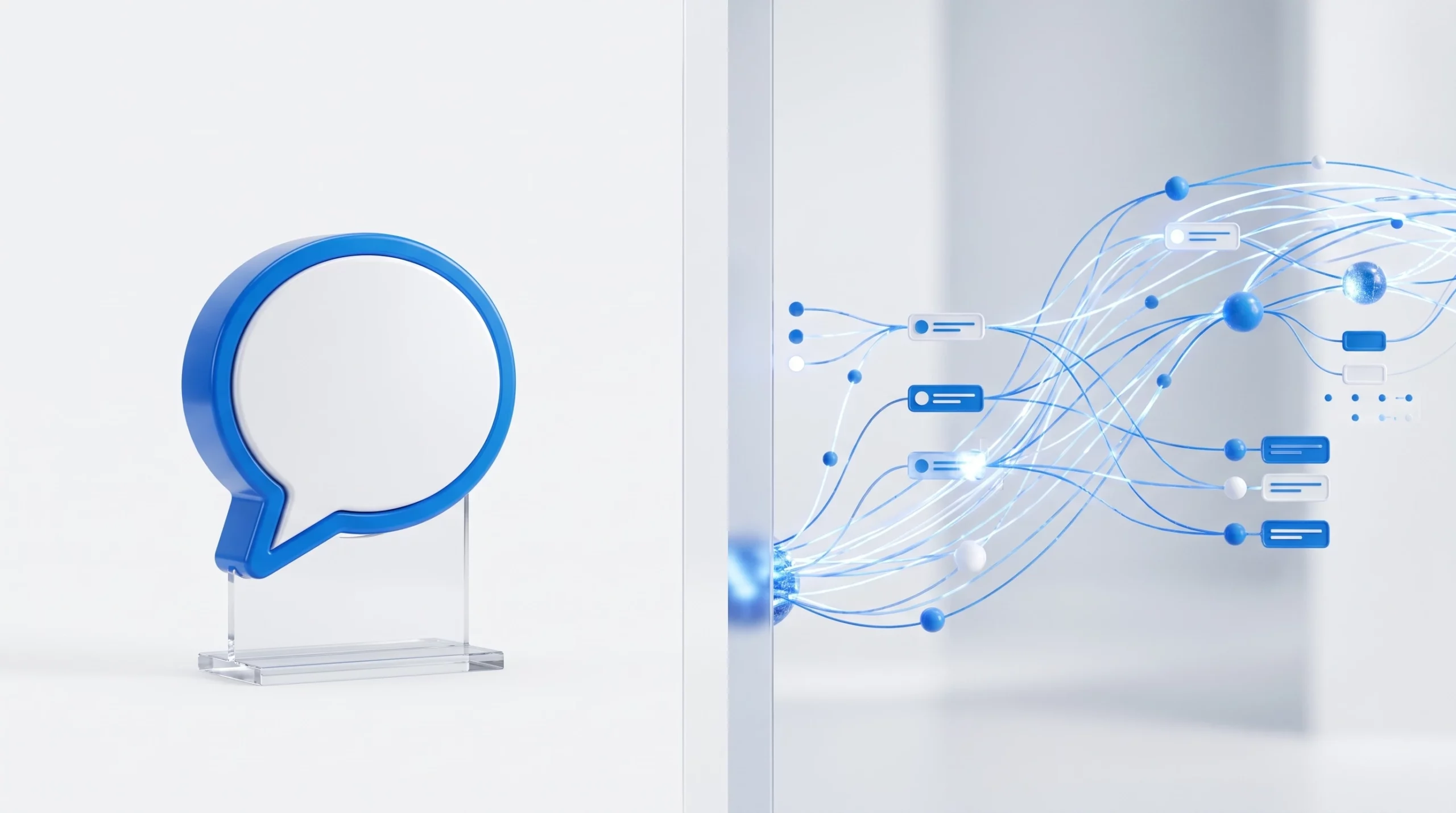
diagram style photo comparing ai agent vs chatbot workflow
Agentic AI for Business: Why 2026 Changes the Calculus
Two things shifted in 2026. First, LLM API costs dropped sharply. This made agentic AI for business affordable for small companies, not just large enterprises.
Second, the tools that connect agents to CRMs and ERPs got better. So integration no longer needs a large engineering team.
As a result, more Orange County small businesses can now use what used to be an enterprise AI agents feature. For example, a real estate office can run automated lead follow-up sequences without hiring extra staff.
The barrier to entry has dropped. However, deciding what to automate still takes real strategy. A few years ago, only companies with large budgets could afford custom AI agents.
That’s no longer true. Pre-built connectors now link popular CRMs, scheduling tools, and email platforms to AI agents in days, not months.
This shift also changed who builds these systems. In the past, a business needed a full engineering team on staff. Today, a smaller Irvine AI development partner can set up and manage an agent for a fraction of the old cost.
Factor
2023
2026
Average LLM API cost per 1M tokens
High
Down sharply
Integration complexity with CRMs
Custom engineering needed
Pre-built connectors common
Typical adopter
Enterprise only
Small and mid-size businesses
Human oversight needed
Constant
Selective, at key checkpoints
Even with lower costs, not every task needs an agent. Some jobs are simple enough that a basic chatbot works just fine. The next section covers when that’s the smarter choice.
Chatbots Still Win in These Scenarios
Despite the buzz around agentic AI, chatbots remain the right tool for many jobs. A simple FAQ bot on your website answers repeat questions cheaply and reliably.
Therefore, not every business needs a full autonomous agent to get value from generative AI. Chatbots make sense when the task is narrow, low-risk, and doesn’t need reasoning across multiple systems.
Platforms like Salesforce’s Agentforce chatbot tools handle basic customer support well, without the added complexity of agentic workflows.
Also, chatbots are easier to explain to your team. Staff can see exactly how they work, since the logic often looks like a simple flowchart. That makes training and troubleshooting simpler.
Cost is another factor. A basic chatbot can go live in days for a fraction of the price of a custom agent. For a small business testing automation for the first time, that lower risk matters.
When a Chatbot Is the Better Fit
- You need quick answers to common questions, like hours or pricing
- Your budget is tight and you want fast, low-cost setup
- The task never needs updates to outside systems
- You want minimal setup and upkeep
When an AI Agent Is Worth the Investment
- The workflow spans several steps, like qualifying a lead then booking a call
- You need real-time updates to your CRM or scheduling system
- Repetitive tasks cost your team real hours each week
- You want a digital workforce that grows without new hires
In short, ask how much the task costs you in staff time each week. If it’s just a few minutes, a chatbot likely covers it. If it eats up hours, an agent probably pays for itself fast.

agentic ai for business automating small business tasks
Build vs. Buy: Custom AI Agents for Orange County Companies
Once a business decides an agent fits, the next question is build vs buy AI agents. Off-the-shelf platforms offer speed. But custom AI agents built for your exact workflow often deliver stronger results over time. That’s because they connect straight to your existing tools.
OC Imagine, based in Irvine, treats this as AI agent development shaped around each client’s setup. Instead of forcing a business into a generic template, the team maps your real processes first. Then, they build or configure the agent around those processes.
Off-the-shelf tools work well for common, simple needs. However, they often force your business to change its process to fit the software. A custom agent flips that. The software adapts to how you already work.
This matters most for businesses with unique workflows. For example, a specialty retailer with a custom inventory system may find that generic tools don’t fit well. A tailored agent can bridge that gap without a full software overhaul.
Approach
Pros
Cons
Buy (SaaS platform)
Fast setup, lower upfront cost
Limited flexibility, ongoing fees
Build (custom)
Fits your exact workflow, scales with your business
Higher upfront cost, needs a dev partner
Hybrid
Combines fast setup with targeted fit
Needs clear scoping upfront
In practice, most small business automation projects do best with a hybrid path. A business might buy a base chatbot platform for simple questions. Then, it can add a custom AI agent on top for lead work and CRM updates.
This keeps costs manageable while still solving the highest-value problem. A hybrid setup also lowers risk, since you get quick wins from the chatbot right away.
Meanwhile, your team can test and refine the custom agent piece over a few weeks. Only then does it handle high-stakes tasks alone.
Data Readiness, Security, and Total Cost of Ownership
Before any agent goes live, get your data ready. Data readiness means your CRM, spreadsheets, or databases are clean and structured enough for an agent to trust. Messy data leads to bad decisions, no matter how advanced the AI model is.
Security matters too. Experts recommend a zero trust security model for any agent with access to customer data or financial systems. This model means no system or user gets automatic trust. Also, keep human oversight checkpoints in place for sensitive actions, like refunds or contract changes. Strong AI agent security depends on these checkpoints, not just good code.
Teams often skip data cleanup because it feels tedious. However, it’s one of the most important steps. If your CRM has duplicate contacts or outdated fields, an agent will act on that bad data, sometimes with costly results.
A simple audit can catch most problems. Check for duplicate records, missing fields, and outdated entries before connecting any agent to your systems. Building in feedback loops also helps you catch errors early, before they spread across your workflow automation.
What Total Cost of Ownership Actually Includes
Many business owners budget for setup but forget ongoing costs. A realistic total cost of ownership includes:
- Initial development or platform licensing fees
- LLM API costs, which scale with usage volume
- Integration and upkeep of CRM or ERP connections
- Staff time for monitoring and human oversight
- Regular updates as your workflows change
The National Institute of Standards and Technology recommends that organizations build risk management into every stage of AI use, not just at launch. This applies directly to AI agent security planning for small businesses. Fixing security after deployment costs far more than building it in from day one.
It helps to think of these costs like maintaining a vehicle. The purchase price is just the start. Over time, fuel and repairs raise the real cost. AI agents work the same way, so plan your budget with that full picture in mind.

custom ai agents development team in Irvine California
How to Choose: A Simple Framework for OC Business Owners
Choosing between AI agents vs chatbots doesn’t take guesswork. First, map your highest-friction task. Then, ask if it needs one answer or several coordinated steps.
A single-step question points to a chatbot. A multi-step task points to an agent. Next, run a basic AI readiness check. Look at your data quality, your current software, and how ready your team is for change.
Finally, weigh the total cost of ownership against the hours your team spends now on the manual version of that task. It also helps to start small. Pick one process, automate it well, and measure the results before you move to the next task.
A Quick Decision Checklist
- Define the exact task you want to automate
- Count how many systems or steps it touches
- Check your data readiness honestly
- Compare current manual hours against automation cost
- Decide how much human oversight you want to keep
Ready to see whether your business needs a chatbot, an AI agent, or both? OC Imagine’s AI integration and consulting services start with an honest look at your workflows before recommending a fix.
Get a Clear AI Agent Recommendation for Your Business
Every Orange County business runs differently. So a generic answer to AI agents vs chatbots rarely fits.
OC Imagine’s team in Irvine reviews your current workflows, data setup, and goals. Then, they recommend the right mix of automation. That mix might be a simple chatbot, a custom AI agent, or both working together as one agent system.
If you’re ready to move past guesswork, explore custom software development options built around how your business actually runs. Or connect with the team to scope your next AI project.
The right automation plan saves time and money. It also frees your staff to focus on the work that grows your business, instead of repetitive tasks that a well-built AI assistant can handle instead.
Frequently Asked Questions
What is the main difference between an AI agent and a chatbot?
A chatbot follows fixed rules or scripts and only responds within a conversation, while an AI agent reasons through a goal, breaks it into steps, and takes action using connected tools like a CRM, calendar, or email. Chatbots answer questions; AI agents complete entire workflows, often without human intervention.
Why has AI agent adoption become more affordable for small businesses in 2026?
LLM API costs dropped sharply, and tools for connecting agents to CRMs and ERPs matured, eliminating the need for large engineering teams. This lowered the barrier to entry, letting small and mid-size businesses adopt agentic AI features that used to be enterprise-only.
When should a business use a chatbot instead of an AI agent?
Chatbots are the better fit when the task is narrow, low-risk, and doesn't require reasoning across multiple systems, such as answering FAQs about hours or pricing. They also make sense when budget is limited and a business wants a fast, low-cost deployment with minimal setup and maintenance.
Should a business build a custom AI agent or buy an off-the-shelf platform?
Buying a SaaS platform offers fast setup and lower upfront cost but limited customization, while building a custom agent fits a business's exact workflow and scales better, though it requires higher investment and a development partner. Many small business automation projects benefit from a hybrid path: a base chatbot platform for simple inquiries plus a custom agent layered on top for higher-value tasks like lead qualification.
What does data readiness mean for deploying an AI agent?
Data readiness means a business's CRM, spreadsheets, or databases are clean, consistent, and structured enough for an agent to make trustworthy decisions. Messy data leads to bad outcomes regardless of how advanced the underlying AI model is.
What costs are included in the total cost of ownership for an AI agent?
Total cost of ownership includes initial development or licensing fees, LLM API costs that scale with usage volume, integration and maintenance of CRM or ERP connections, staff time for monitoring and oversight, and periodic updates as workflows evolve. Many business owners only budget for setup and overlook these ongoing costs.
How can an Orange County business decide between a chatbot and an AI agent?
Start by mapping the highest-friction task and determining whether it needs a single answer or several coordinated steps: single-step questions point to a chatbot, while multi-step processes point to an agent. Then run a basic readiness assessment covering data quality, existing software, and team appetite for automation, and weigh total cost of ownership against current manual hours spent on the task.
What security practices should businesses follow when deploying AI agents?
Businesses should apply a zero trust security model, meaning no system or user is automatically trusted, especially for agents with access to customer data or financial systems. Human oversight checkpoints should remain in place for sensitive actions like refunds or contract changes, and security should be designed in from the start rather than retrofitted after deployment.
Ready to elevate your online presence? Contact OCImagine for a free consultation. We offer web design, app development, ecommerce solutions, and AI automation for businesses in Orange County and beyond.